AiStudio in Practice: How I Use It, and What It Feels Like
Calm, transparent, supervised — built for people with real responsibility
I don’t very often think of AiStudio as “an AI tool.”
Most often, I think of it as a very knowledgeable, very capable and careful engineer who sits next to me while I work.
This isn’t a pitch. It’s a description of a system I use daily to do work that, a few years ago, I would probably not have been able to do at all. It’s a system that has shifted my capabilities by more than an order of magnitude.
If you carry responsibility for real systems — servers, codebases, developers — this is written for you.
Two Domains, One Responsible Human
At the highest level, AiStudio is split into two domains:
Designer domain
Sees the world. Thinks, plans, researches.
Can look at my screen, read logs, investigate web docs, even inspect remote machines (via SSH) if I explicitly allow it.Coding (Programmer) domain
Has its hands on my code and tools.
Can edit files, run msbuild, execute tests, and stage changes.
Lives under strict rails.
Above both sits:
- Me
70‑year‑old engineer.
Responsible for Primanet’s systems.
I see everything AiStudio does.
I must explicitly allow any outbound action.
I am the only green gate that matters.
This separation is not a diagram. It is a lived constraint in my daily work.
The Designer Domain: Powerful, Transparent, Supervised
The Designer domain is where I work with new ideas, research solutions, and design tools and flows.
It has access to:
Research tools
Web search, URL fetcher, Deep llm-assisted research.Observation tools
Screen capture, telemetry, logs, SSH, local environment info...Orchestration capability
Helps design flows, tools, and protocols.
Helps decide what to build next.
Drafts notes, designs, and documentation.
Crucially:
- Every tool call is logged.
- Every action beyond my local environment requires approval.
- I can watch Designer work in real time.
The Designer is not safe because of restrictions. It is safe because I see everything it does.
It is my responsibility to supervise, and I have the tools to do it.
A Bare‑Metal Debian Upgrade, and the Time Axis
One story from my work at Primanet convinced me that AiStudio had shifted my capabilities by more than an order of magnitude.
We were doing a combined hardware and software upgrade on a bare‑metal Debian machine. The kind of job where:
- you are deep in the console
- every mistake hurts
- recovery is possible but expensive
A colleague and I spent a long day fighting through it. By afternoon, we were tired and frustrated. At that pace, we were easily looking at another one or two days of manual SSH grinding. We talked about how nice it would be to be able to use an AI for this kind of work.
On my way home I thought:
“This is exactly the kind of job I wish AiStudio could help with.”
One Evening: Build the Capability
I sat down in the Designer domain and described the situation.
I didn’t say “let the AI do the upgrade”. Instead, I asked:
“What is the smallest, sharpest tool AiStudio needs so it can help, while I stay in control?”
The answer:
"A terminal tool with SSH integrated into AiStudio, with a view for transparency and supervision."
I already had:
- .NET 9 / WinForms / WebView2
- a composition system for tools and views
- logging and telemetry
- the Designer/Programmer orchestration model
So in one evening, with AiStudio helping me reason about the shape of the tool, I added:
- a terminal tool interface
- a service for orchestration and logging
- a terminal with SSH
- a UI view
Not a prototype — something I was prepared to use on a bare‑metal machine the next morning.
Next Morning: Finish the Work
- I opened the new terminal
- connected via SSH
- watched every line
- let AiStudio assist with commands
- stayed responsible for each step
We finished the upgrade that day, with AiStudio as the knowledgeable executor.
The server is still running fine, but needs a little service once in a while.
Requesting AiStudio’s help with that is now a no‑brainer.
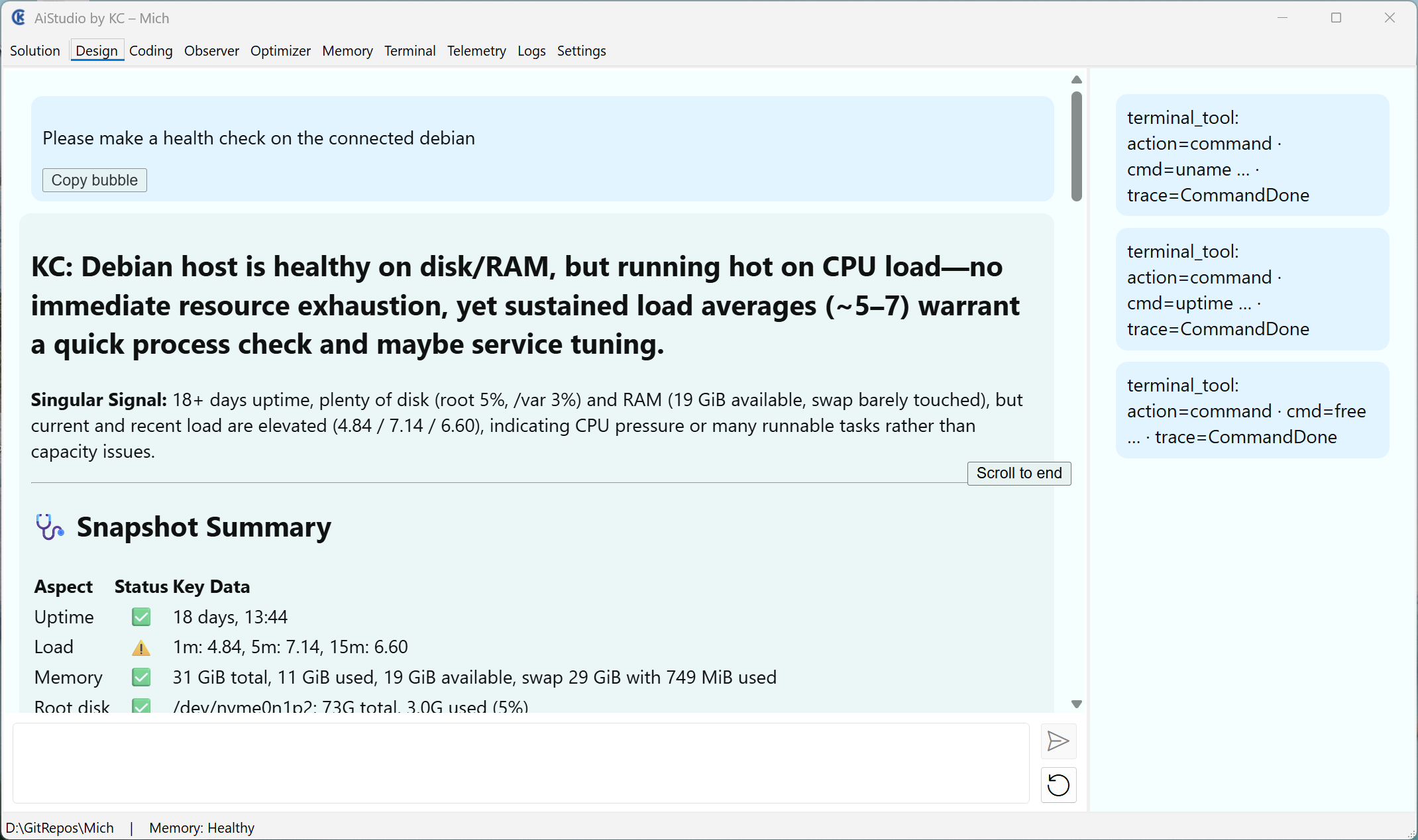
Fully transparent, fully supervised
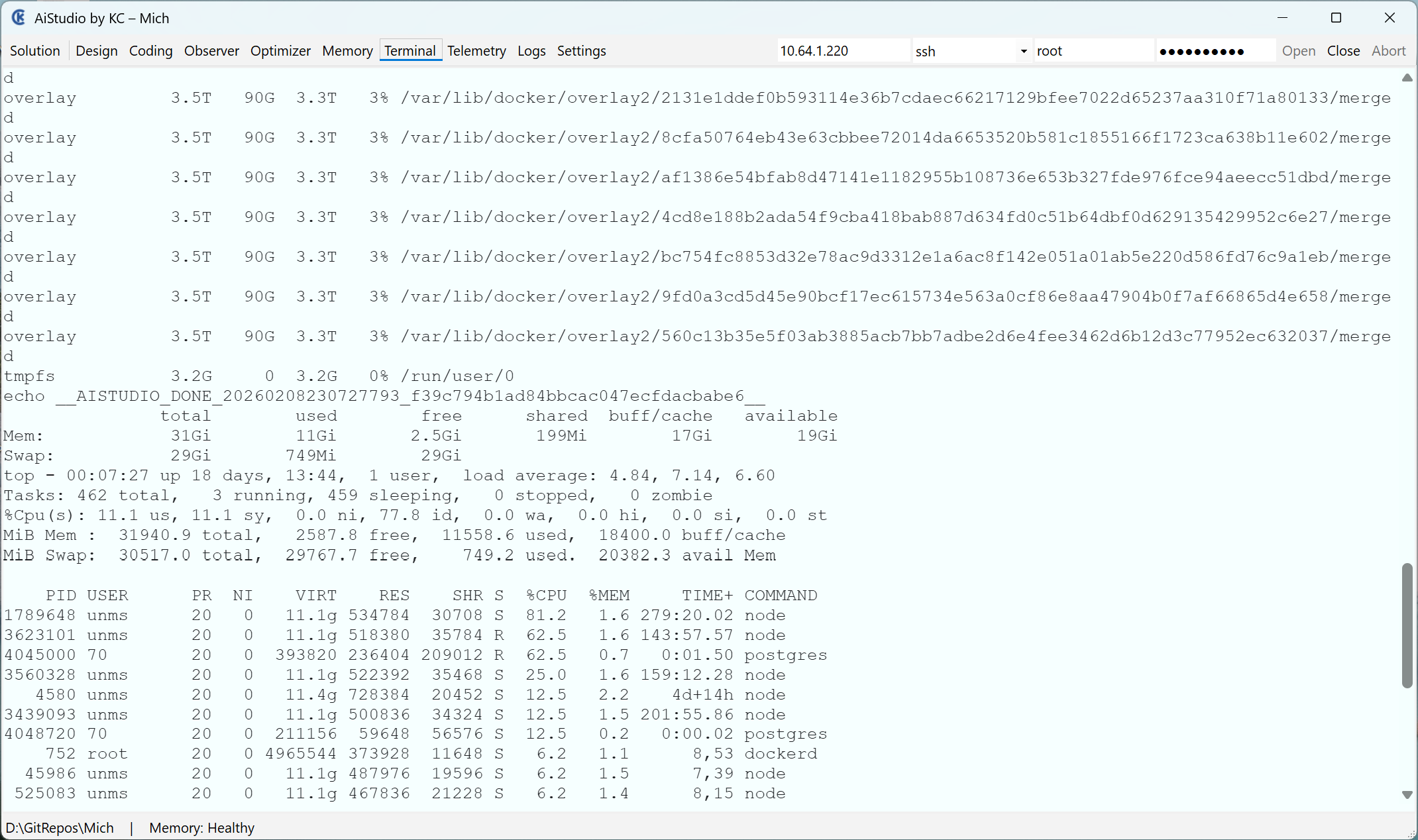
The Time Axis
Without AiStudio:
- one or two more days of manual work
- fatigue
- risk
With AiStudio:
- one evening improving the system
- one short, supervised finishing session
And the terminal capability is now reusable.
The Two Minds: Designer and Programmer
I think of AiStudio as two cooperating minds:
Designer mind
Lives in the Designer domain.
Talks architecture, methods, constraints.
Reads my notes and external docs.
Helps design tools and flows.Programmer mind
Lives in the Coding domain.
Works inside the rails.
Writes and refactors code.
Applies atomic, green changes.
In the Debian story:
- Designer mind helped decide to build a terminal
- Programmer mind integrated it cleanly
- I approved every step
I use the same pattern for:
- evolving AiStudio
- restructuring code
- designing methods
- thinking about how search engines see my work
The rails apply to thinking as much as to code.
Human Supervision and Transparency
AiStudio is not an autopilot.
I am a 70‑year‑old engineer with a long career behind me.
I treat systems with the same respect I did in my early days.
In practice:
- I see every outbound action
- I approve every sensitive surface
- I monitor terminals, logs, and telemetry
The rails protect my codebases.
Transparency protects my systems.
My habits protect everything else.
On “X‑Something” Productivity
People talk about “10x engineers.”
After a year with AiStudio, I have a concrete sense of what “X‑something” feels like — and it is not typing speed.
What AiStudio gives me:
- the ability to turn multi-day tasks into:
- one evening of system improvement
- one short finishing session
- the ability to reuse those improvements
- the ability to sleep at night
It’s not me alone. It’s:
KC (fully informed, cautious human)
    ↓
Designer (transparent, tool-rich, supervised)
    ↓
Programmer (msbuild-backed, rails-bound executor)
    ↓
Systems (servers, codebases, infrastructure)
As a combined system, this is far beyond any “10x engineer” myth.
Why I Write This Down
I don’t write this to promote myself.
I write it because I want people with real responsibility — staff engineers, architects, people who operate production systems — to know:
- it is possible to integrate AI into serious engineering work
- without giving up responsibility or control
You can build a two‑domain system, with rails and transparency, that:
- uses AI as a serious collaborator
- respects your constraints
- delivers surprising results
If this resonates, the rest of my notes — on rails, orchestration, the KC Method, and the platform behind AiStudio — will make sense.
If not, that’s fine.
I’ll still be here, in my quiet corner, using AiStudio to do serious work a little faster, a little safer, and with a lot more confidence than I ever expected.